The TeamViewer Community will undergo scheduled maintenance on Wednesday, Nov. 18, from 2:00-5:00 AM CET.
The Community may be temporarily unavailable during this time. We apologize for the inconvenience. For more information, visit our Status page.
Hi all,
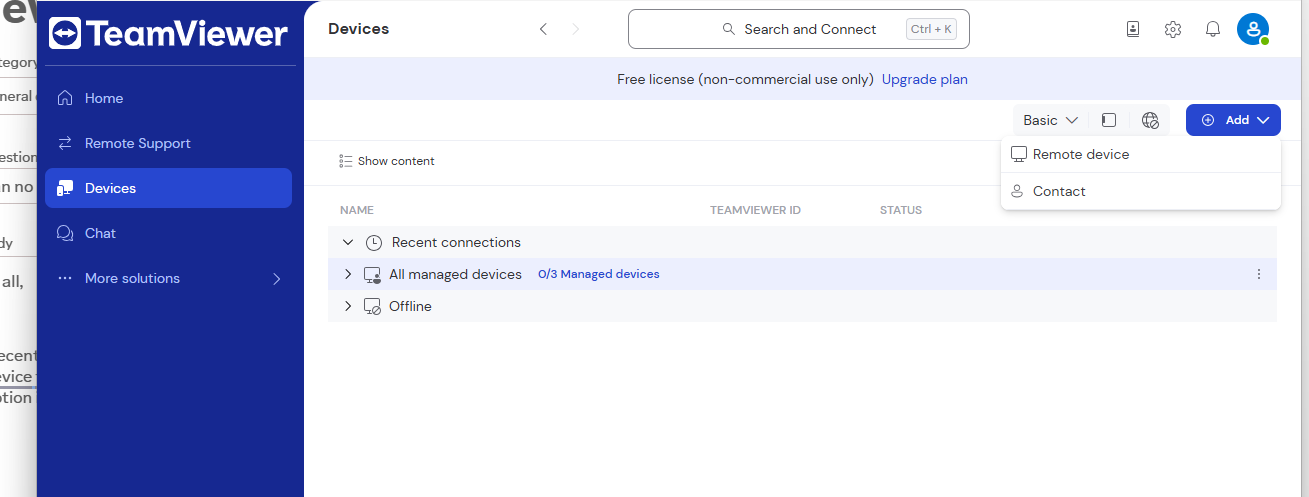
I recently updated my Teamviewer client and would like to add the current device I am using to the managed device to my account. As I recall, I used to do that by going to add device > this device. But it seems that this option is gone. Did I miss something here? Thanks!
Hi @lucy9383 ,
Welcome to the TeamViewer Community😊
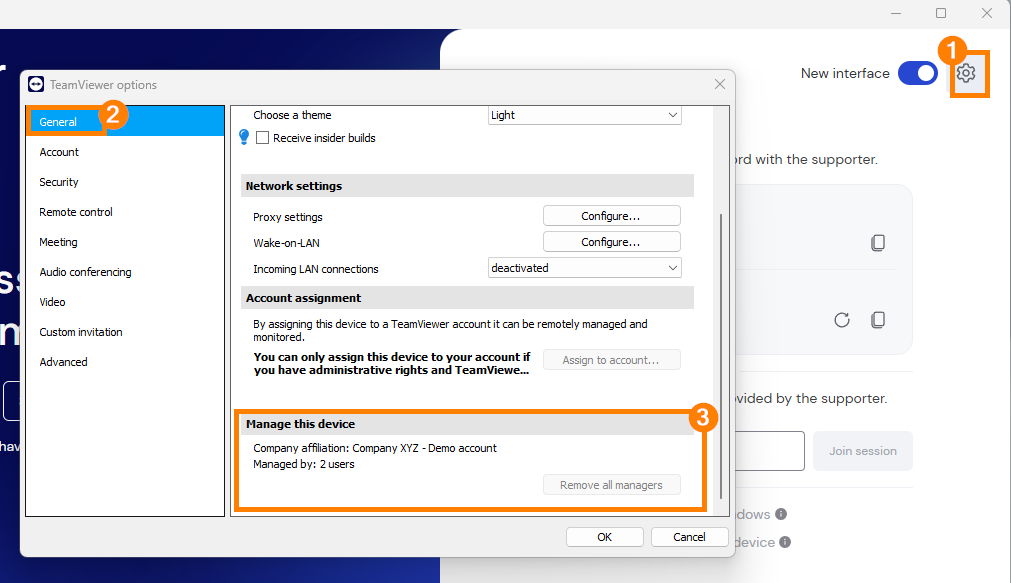
To manage your current device, please visit the login page, then navigate to Settings > General > Manage this device, and sign in using your TeamViewer credentials.
This article shares the same instructions: Provide unattended remote support
Let us know if you need anything else. 😊
Best,
Chisa
Be part of the conversations shaping TeamViewer
Learn more about the latest feature we’ve released.
Discover quick, practical tips to get more out of TeamViewer each month.