The TeamViewer Community will undergo scheduled maintenance on Wednesday, Nov. 18, from 2:00-5:00 AM CET.
The Community may be temporarily unavailable during this time. We apologize for the inconvenience. For more information, visit our Status page.
So, while remotely controling another computer, can I share my own screen with the remote user?
Hi @Dung Truong,
Welcome to the TeamViewer Community, and thanks for your question.
The reason you don't see Switch sides with partner is most likely related to your account type:
If you have an active subscription, you can switch sides as follows:
This will switch the view so the remote user can see and control your screen.
Hope this helps! Let us know how it goes, and feel free to reach out anytime if more questions come up.
Best regards, Sophia
Hi @cpaquet,
We're happy to read your first post in our Community!
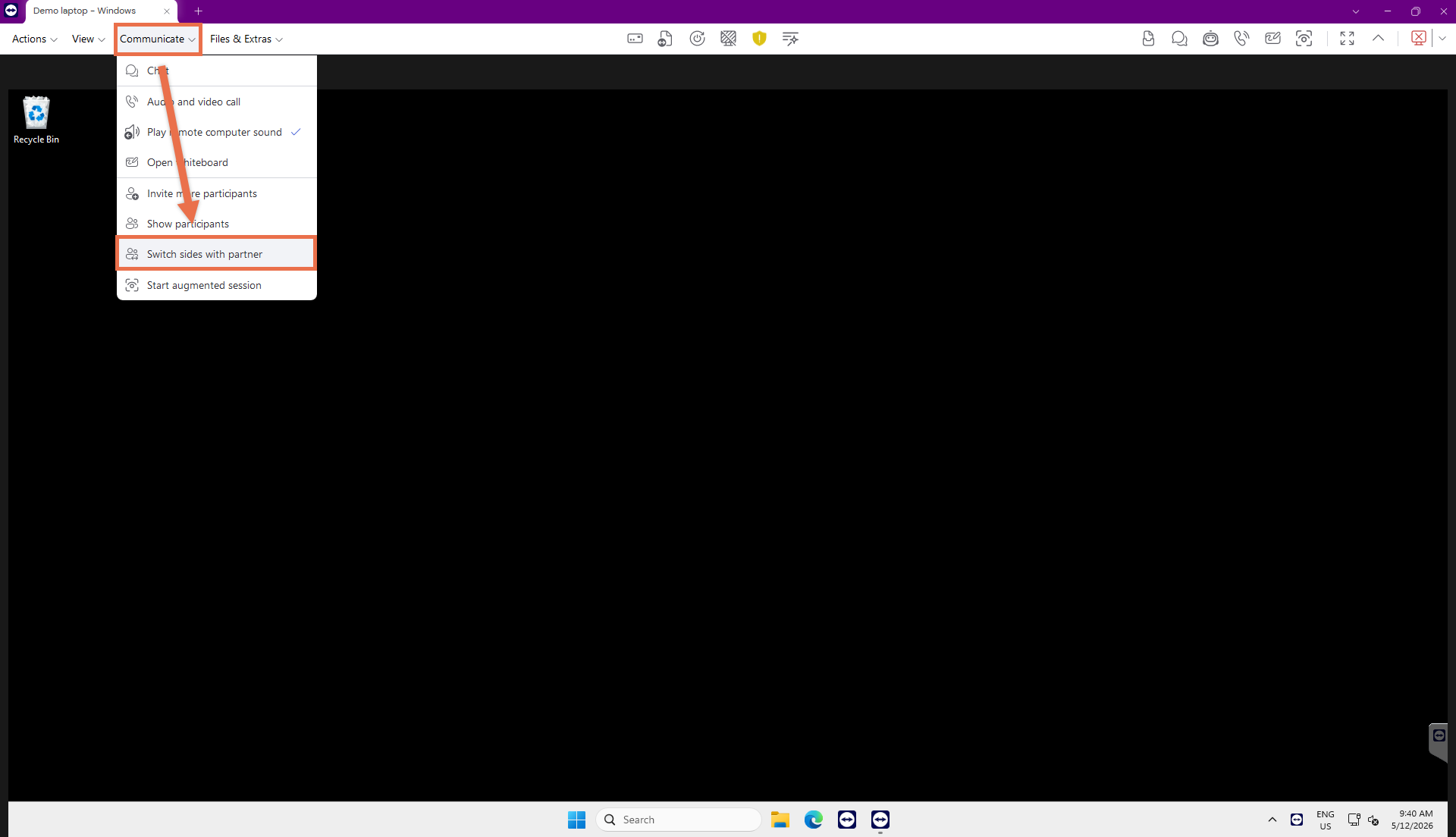
During a TeamViewer session, it is possible to switch sides with your partner. This means that when you're controlling the computer of the remote user, you have the possibility to switch sides and show the screen of your own computer.
This action can be made from the remote session toolbar, as shown below:
📌 Please note that you can not control the remote side and show your screen at the same time.
You can then switch back again the sides from the TeamViewer panel in the bottom right corner.
If you have further questions, let us know 🙂
Have a great day,
Jen
thanks but on my TV-interface (view) the option switch sides partner control doesnt appear
TeamViewer supports non-profit organizations and offers them ongoing discounts.
To know more about it, please check out our dedicated article: 📄 TeamViewer for Non-profit Organizations
If you have any further questions, we'll be happy to assist you!
Best,
I believe I would need a paid subs to get access to "Switch Sides with my Partner'". I'm using TeamViwer for personal use, as a volunteer, helping elderlies with computer support, through a non-profit. Can't afford the [removed per Community Guidelines] paid sub. Will reach out to TeamViewer to inquiry about a non-profit license. Thanks Jen.
Be part of the conversations shaping TeamViewer
Learn more about the latest feature we’ve released.
Discover quick, practical tips to get more out of TeamViewer each month.