The TeamViewer Community will undergo scheduled maintenance on Wednesday, Nov. 18, from 2:00-5:00 AM CET.
The Community may be temporarily unavailable during this time. We apologize for the inconvenience. For more information, visit our Status page.
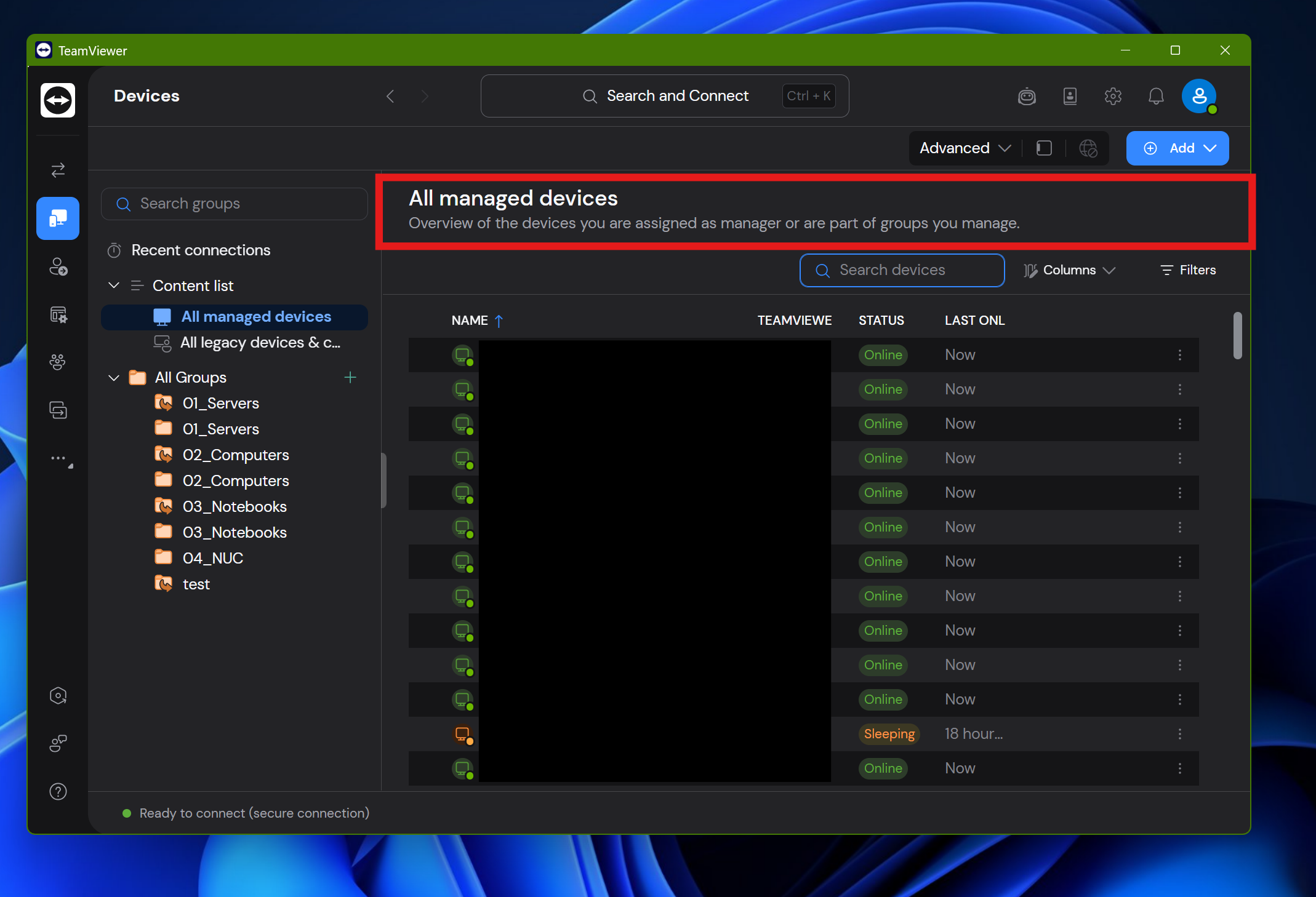
The panel with the group name takes up too much space. The group title isn’t important enough to justify using so much screen space. The title could be smaller and I don't need to see the group description. I would rather see more of the list of my devices.
Hi @LC7,
Thanks a lot for posting!
If you’d like to have quicker access to your devices without the group header taking up so much space, you might really enjoy our Device Dock feature. It gives you a compact, always‑accessible panel where you can see and search your devices instantly. No need to use the TeamViewer full client.
I quickly made a GIF to show you how it works:
We recently published a blog post that walks through how the Device Dock works as well as a Knowledge Base article and how it can make navigating your devices much easier:
Feel free to give it a try and let us know how it works for you! Your feedback is always appreciated. 😊
Looking forward to hearing from you.
/JeanK
Hey @JeanK
Thanks for the tip – I gave it a try and I like the Dock. Two things came to mind while using it:
Otherwise, I really like it – especially the hiding feature.
LC7
I'm glad you have a good first experience and that you like the capability to hide the Device Dock. 😎
Thanks a lot for your feedback regarding the ability to rename devices and that the TeamViewer interface opening when closing a connection. I can confirm this behavior on my side, too. 👌I directly informed our Product team about it.
If there's any other feedback you have, please let us know.
Have a great weekend ahead!