Operating system: Windows
Version: 15.16.8
Release date: 2021-03-23
Can I safely delete the x32 folder after x64 install?
Thanks working now and installed :)
Hello everyone,
Thanks for your patience 🙏
The download link for the 64-bit version should be visible for everyone.
I have tested it myself, as I was also unable to see it prior.
Let us know here if your issue persists.
Thanks again!
Hi @HammerSlo
We changed the setup to follow the best practice guide to prefer Easy Access before passwords. See our Best practice guide here: https://community.teamviewer.com/English/kb/articles/108681-best-practices-for-secure-unattended-access
You can still set up and use personal passwords for connections via the TeamViewer Options: Extras --> Options --> Advanced --> under Advanced settings for connections to this computer --> Personal Password
Best, Esther
Why did you remove option to set password for unattended access eg. Personal Password during installation?
Hi Esther,
Thanks for the clarification.
Hi all,
yes i think the problem is on our side! I checked internally and I am positive it will be available for all of you by tomorrow!
I am sorry for the delay and hope you enjoy the new 64 bit version once ready to be downloaded everywhere 🙌
Thank you for your understanding
Esther
Tried with both Microsoft Edge and Brave
Not visible for me either.
@v8commodore What browser are you using?
Not visable here-
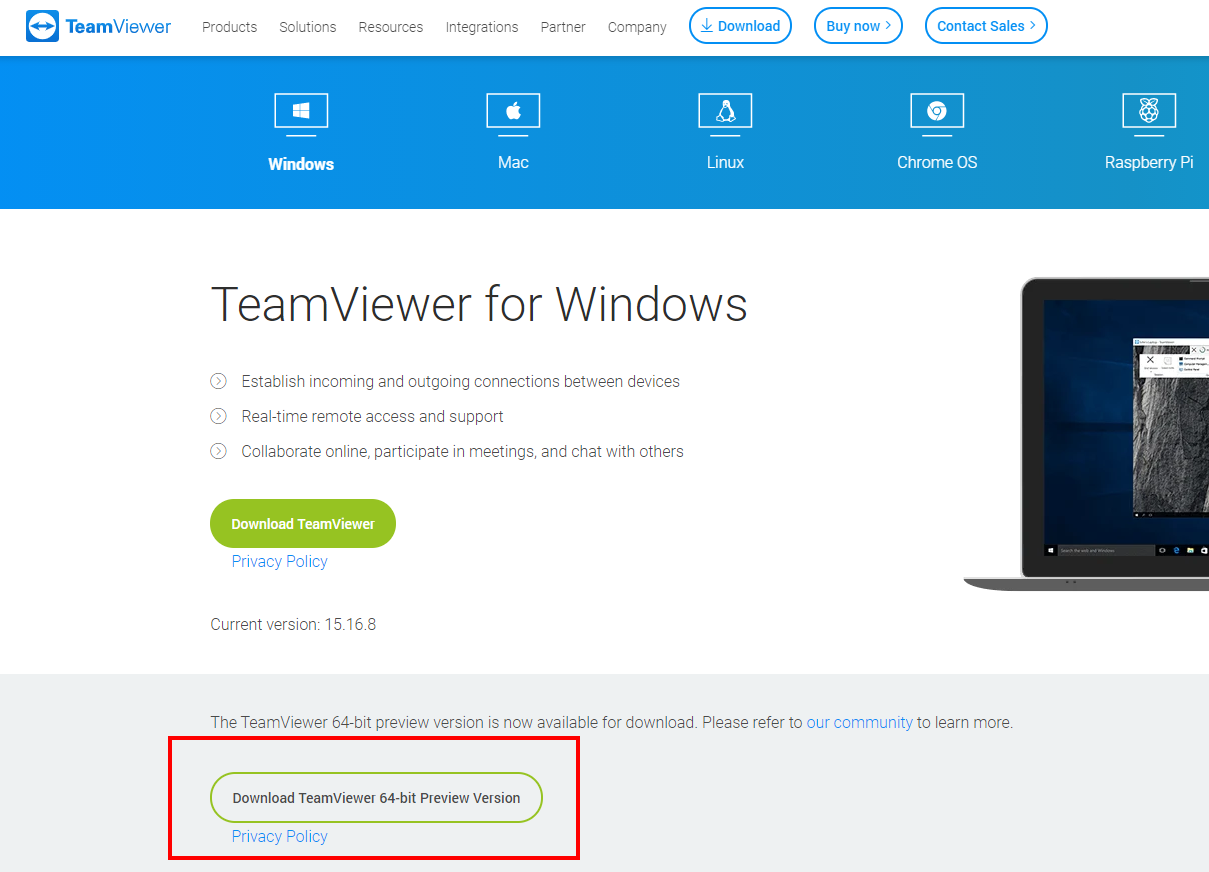
you can download the preview here: https://www.teamviewer.com/en/download/windows/
The download button is under the regular one:
I would also like to test the 64-bit version, where can I find the download? On the main download page you only have the standard 32-bit version
Hi there
you find a link to download the preview on the regular download page:
best
Where do I find the teamviewer x64 version download link?
Be part of the conversations shaping TeamViewer.
Learn more about the latest feature we’ve released.
Discover quick, practical tips to get more out of TeamViewer each month.