I am trying to set up a remote support session but Teamviewer does not provide a password. I have tried the refresh icon but the password is still blank.
Hi @ULTRON Thank you for the additional information. We’re sorry to hear that the issue is still not resolved.
The picture I attached in the previous post shows the sign‑in page for your TeamViewer account in the current interface. Once you sign in, you should see options such as Home, Remote Support, Devices, etc. So, your description indicates that you were already signed in to your TeamViewer account.
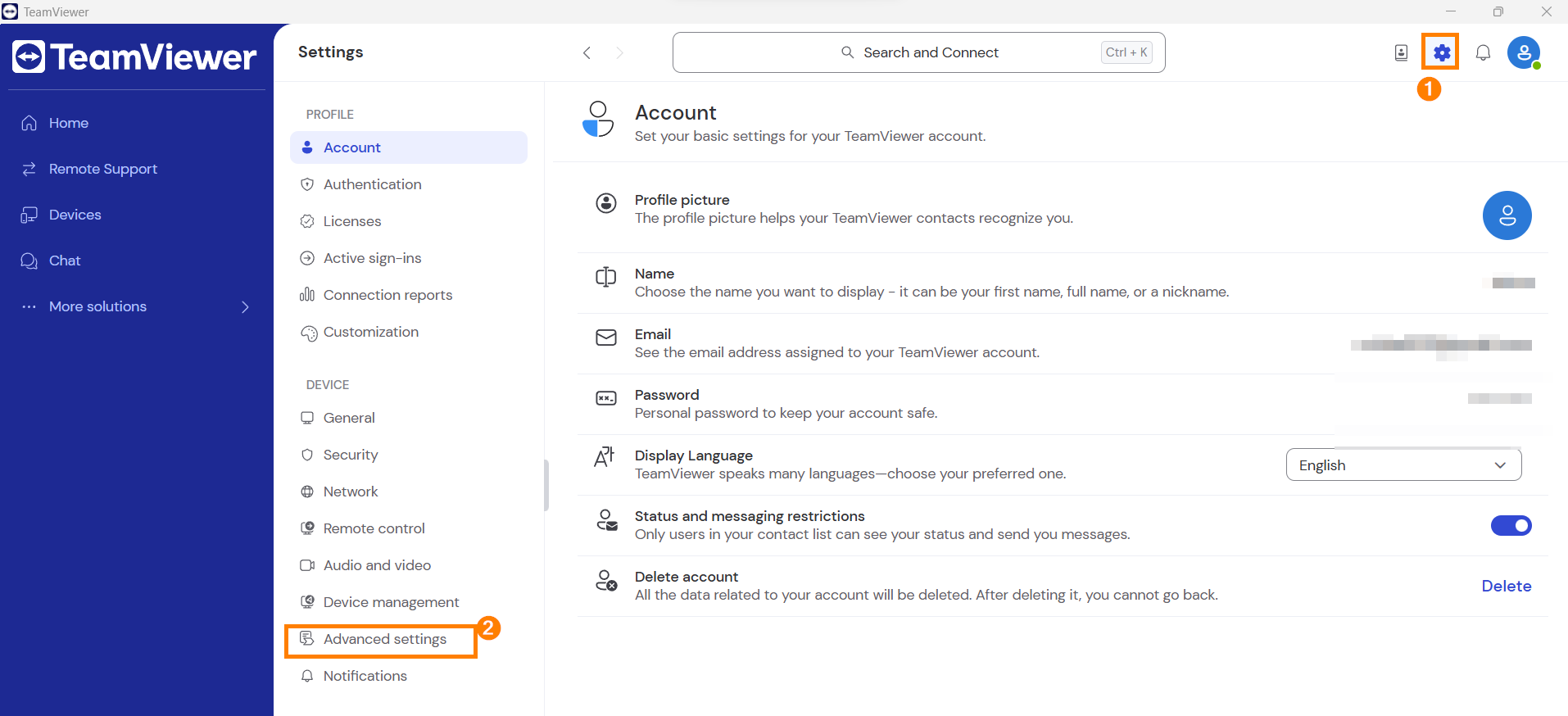
The settings icon is available even after signing in. Please refer to the attached image below. You should see a gear icon in the top‑right corner.Click the gear icon → Advanced settings → Open advanced settings. After that, the settings window I shared in my previous post should appear.
Let me know how it goes! 😀 Best,
Chisa
I should have also mentioned that I do not have the settings icon in your reference 1.
Hello Chisa,
Thank you for your help. Unfortunately I do not have the Security option available from my TeamViewer page.
These are my available options
Home
Remote Support
Devices
Chat
More Solutions…
Admin Settings
Feedback
Help
Hi @ULTRON,
Welcome to the TeamViewer Community!
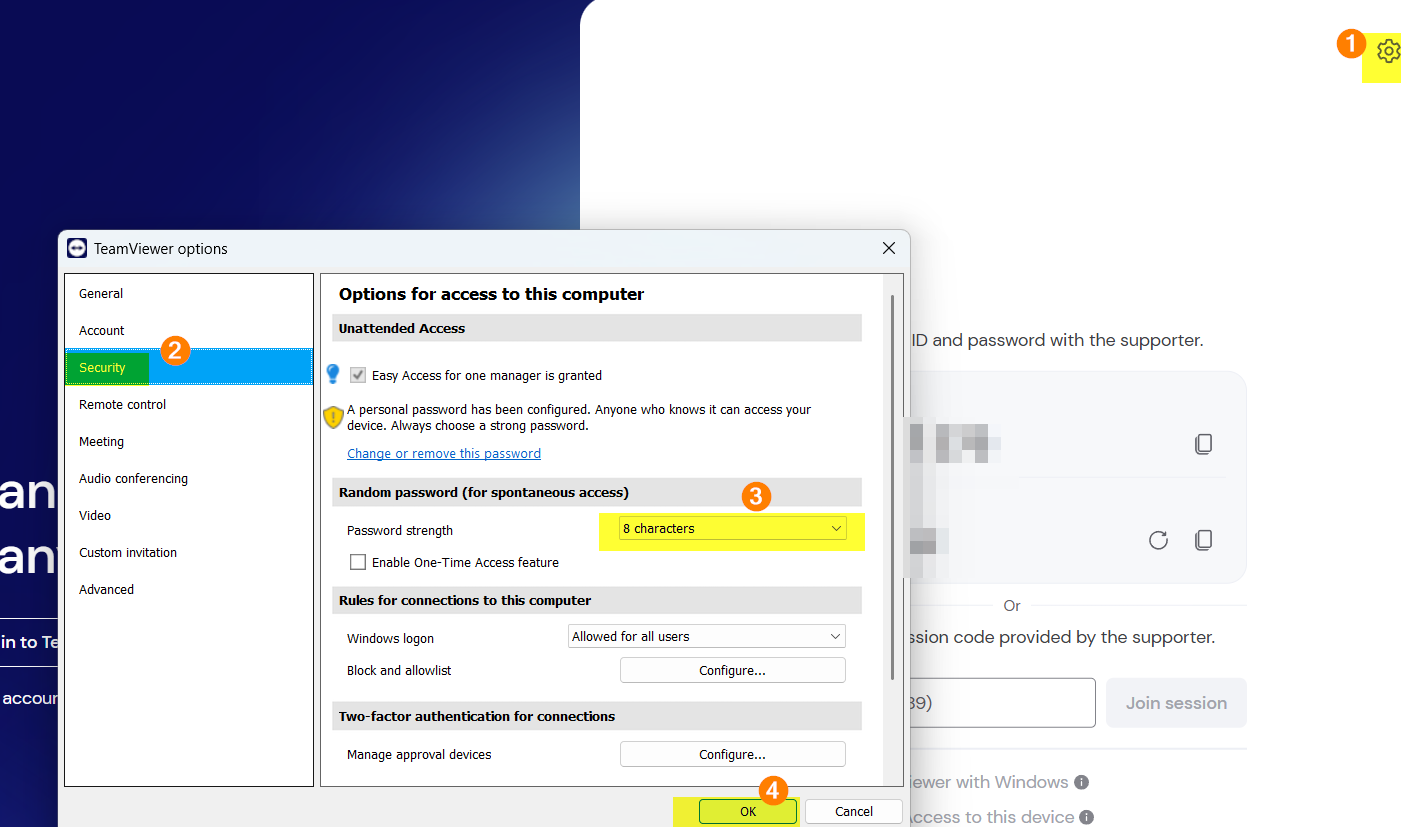
Please navigate to the settings icon → Security → Random password → select 6, 8, or 10 characters → click OK.
This will show the password required for your remote session.
Hope this helps! Best,
Be part of the conversations shaping TeamViewer.
Learn more about the latest feature we’ve released.
Discover quick, practical tips to get more out of TeamViewer each month.