On the IoT dashboard, you can only configure Webhook alerts but there is an easy way to let Webhooks trigger further actions like sending an email or sending a notification via your messenger like Telegram by using a service like https://ifttt.com/
After you signed up with Ifttt, click on "New Applet" to create a new applet:

Set a trigger by clicking on "+this"

Enter "Webhooks" on the search field and select Webhooks

After confirming, select an "Event name" for the trigger like "alert"
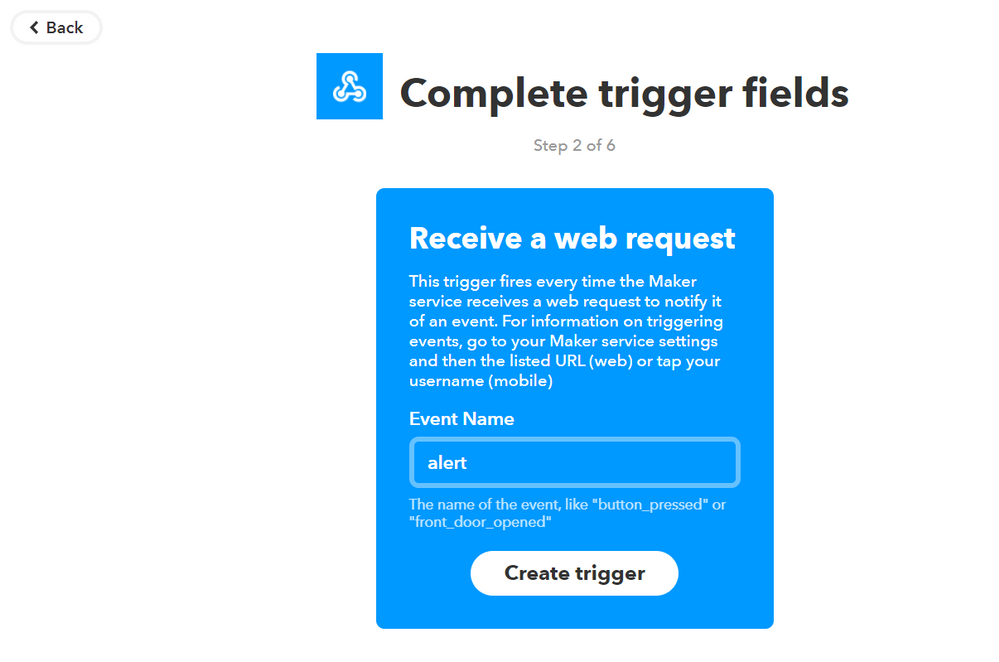
Then create the trigger and select a service like email

After creating the action, you will see a confirmation, that your Applet is configured, though you now have to configure the webhook and the action (email). So go back to "My Applets" and switch to the tab "Services" and configure your Webhooks

Then click on "Settings" to find your Webhook URL like

Copy the URL and enter it on your web browser
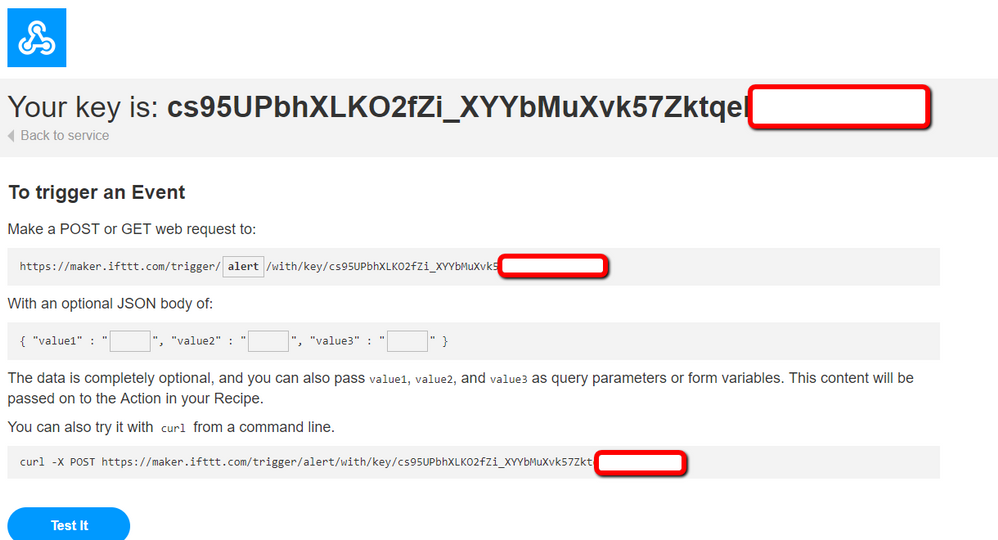
Remember, our trigger we configured earlier was "alert" so replace the "{event}" with "alert" on the URL and you now have the webhook URL, that you enter on the IoT dashboard under "Add Rule"

Congratulations! You have successfully configured your trigger!
Don´t forget to go ahead and configure your email account at Ifttt and test the connection by entering the webhook URL on your browser and check your inbox if an email has arrived
